
Table of Contents
TeraInvoice features an intelligent AI assistant that can help you create invoices from natural language descriptions.
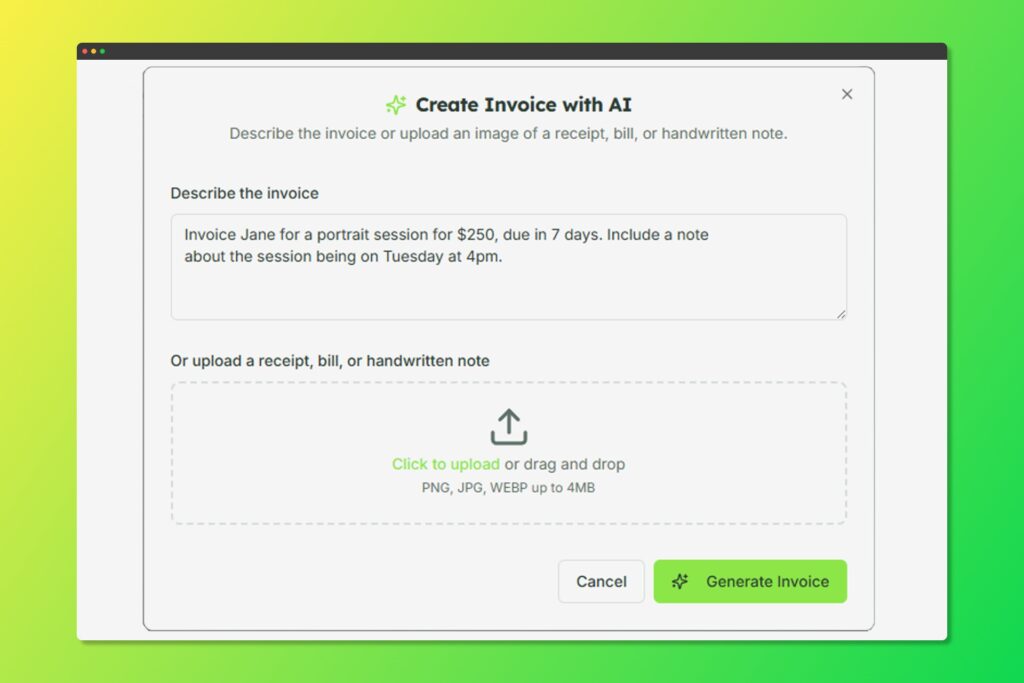
Describe your invoice in plain English and let AI do the work
How to Use AI Invoice Creation #
- Click Create with AI on the Invoices page
- Describe your invoice in plain English, for example:
- “Create an invoice for John’s Web Agency for 10 hours of consulting at $150/hour”
- “Bill Acme Corp $5,000 for the logo design project with a 10% discount”
- “Invoice for 3 months of maintenance at $500/month, due in 30 days”
- The AI will generate:
- Appropriate line items
- Calculated totals
- Suggested due dates
- Formatted descriptions
- Review and edit the generated invoice
- Save as draft or send immediately
Tips for Best Results #
- Be specific about quantities and prices
- Mention the client name if they exist in your system
- Include due date preferences
- Specify any discounts or taxes


