
Table of Contents
Set up automatic email notifications based on invoice events.
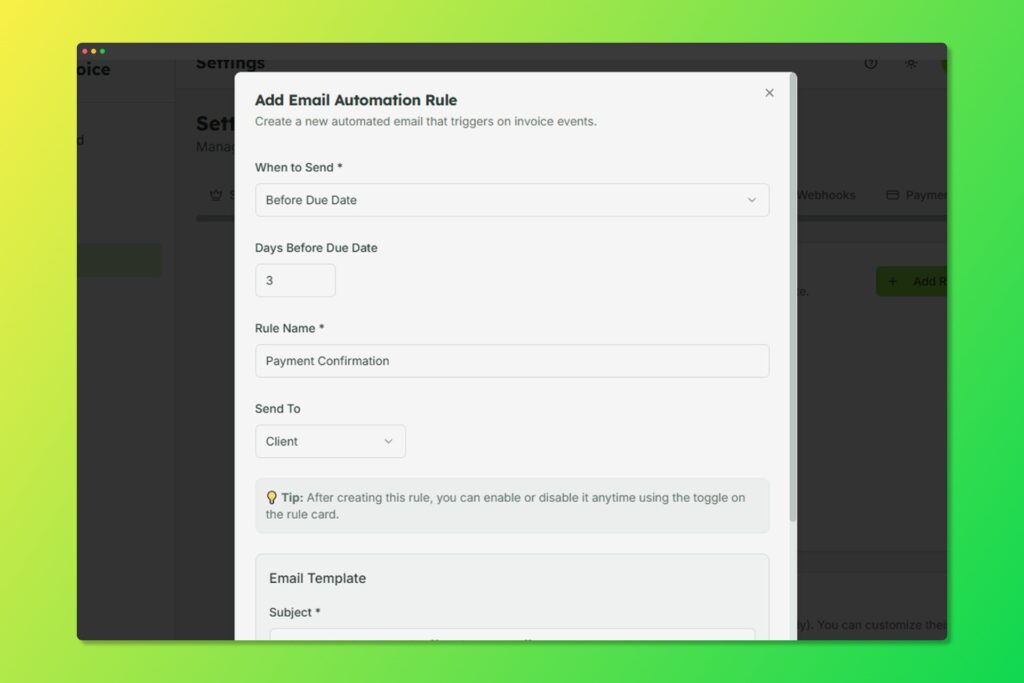
Configure automatic email triggers based on invoice events
Creating Automation Rules #
- Go to Settings > Email Automation
- Click Add Rule
- Configure triggers:
- When: Invoice is sent, viewed, paid, or overdue
- Delay: Send immediately or after X days
- Template: Which email template to use
- Conditions: Optional conditions (e.g., amount > $1000)
Common Automation Examples #
- Payment Reminder: Send reminder 3 days before due date
- Overdue Notice: Send follow-up 1 day after due date
- Thank You: Send thank you email when invoice is paid
- Weekly Reminder: Send weekly reminders for overdue invoices


