
Table of Contents
Import multiple invoices at once from CSV or Excel files.
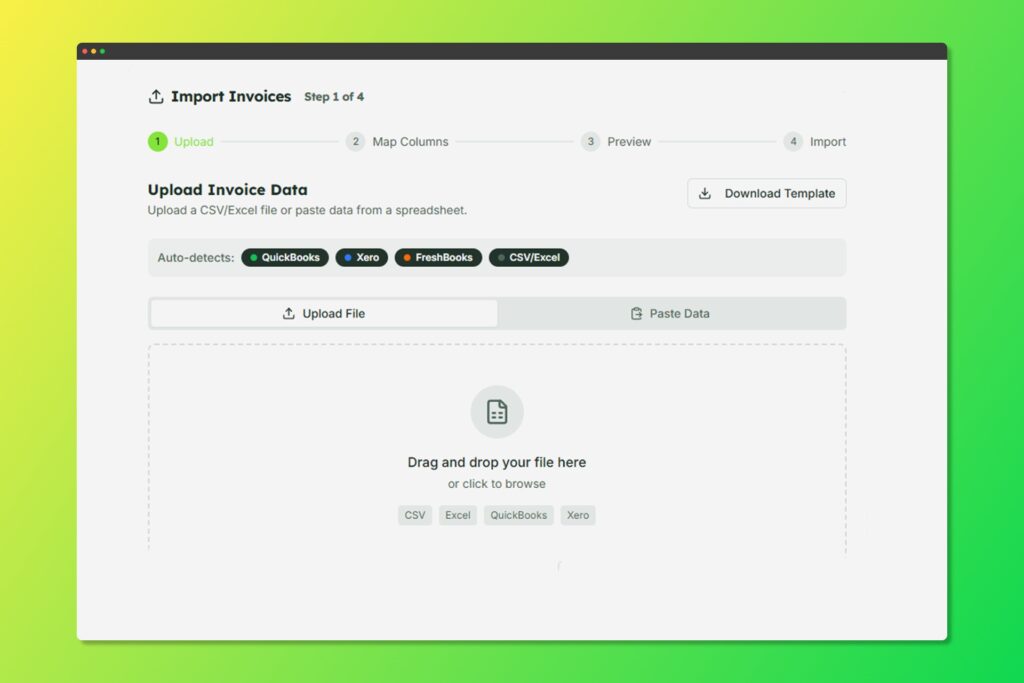
Import invoices in bulk from spreadsheets
Supported File Format #
- CSV (.csv) – Comma-separated values
- Excel (.xlsx, .xls) – Microsoft Excel spreadsheets
How to Import Invoice #
- Navigate to Invoices from the sidebar
- Click the Import button (or dropdown menu)
- Upload your file
- Map Columns: Match your spreadsheet columns to TeraInvoice fields:
- Client Name/Email
- Invoice Title
- Line Item Description
- Quantity
- Unit Price
- Due Date
- Currency
- Preview: Review the parsed invoices before importing
- Click Import to create all invoices
Import Tip #
- Ensure client emails match existing clients, or new clients will be created
- Use consistent date formats (YYYY-MM-DD recommended)
- Include currency codes if invoicing in multiple currencies
- Line items can be grouped per invoice row or split across rows


