
Table of Contents
Customize the emails sent with your invoices.
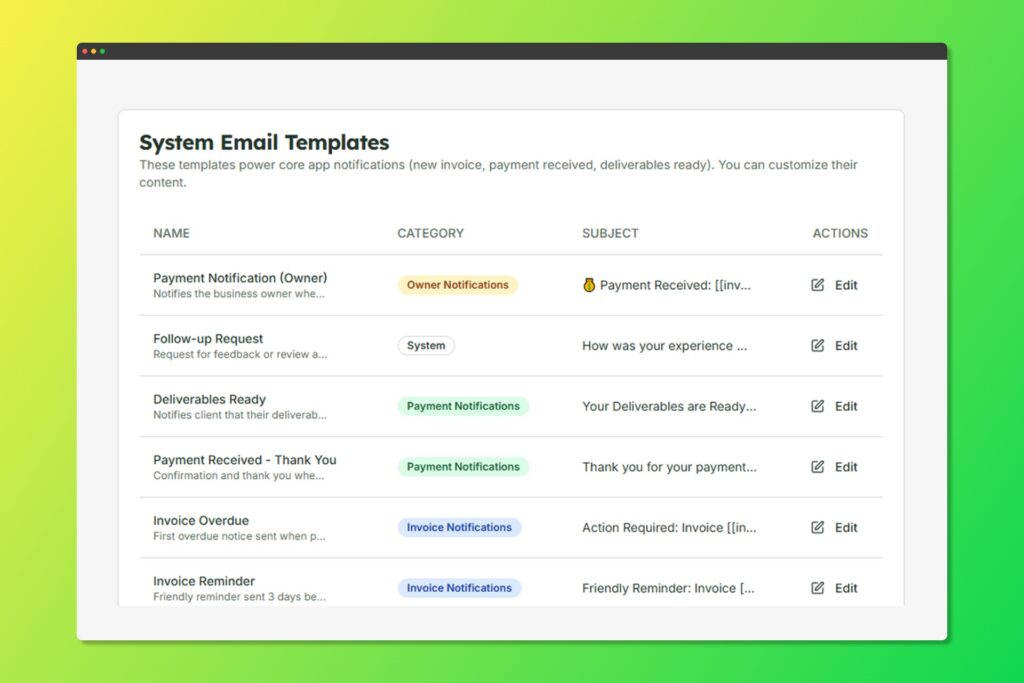
Create professional email templates for your invoices
Creating Email Templates #
- Go to Settings > Notifications
- These templates power core app notifications (new invoice, payment received, deliverables ready). You can customize their content.
- Configure:
- Template Name: For your reference
- Category: Invoice, Reminder, Thank You, etc.
- Subject Line: Email subject
- Body: Email content with placeholders
Available Placeholders #
Use these dynamic placeholders in your templates:
Use these dynamic placeholders in your templates:
| Placeholder | Description |
|---|---|
{{client_name}} | Client’s full name |
{{company_name}} | Client’s company |
{{invoice_number}} | Invoice number |
{{invoice_total}} | Total amount due |
{{due_date}} | Payment due date |
{{invoice_link}} | Link to view invoice |
{{your_company}} | Your business name |


